If you use Ayome and want to learn how to buy Ayome Coins in Pakistan, understanding the recharge process can make your purchase easier and help you avoid common mistakes. Ayome Coins are digital credits associated with the Ayome platform and can be used for supported in-app features and interactions.
For Pakistani users, the main things to consider before purchasing are the correct account information, the coin package you need, the available payment method, and the processing procedure. Whether you are purchasing coins for the first time or simply want to understand the process better, this guide explains the important steps in a simple way.
What Are Ayome Coins?
Ayome Coins are digital in-app credits used within the Ayome platform for supported features and interactions. They are not physical products and are not the same as cash or cryptocurrency.
The way coins are used can depend on the features currently available in the Ayome application. Users may need coins for certain digital interactions, virtual features, or other supported activities.
Because applications can update their features and policies over time, it is always a good idea to check the current information available inside the Ayome app.
How to Buy Ayome Coins in Pakistan
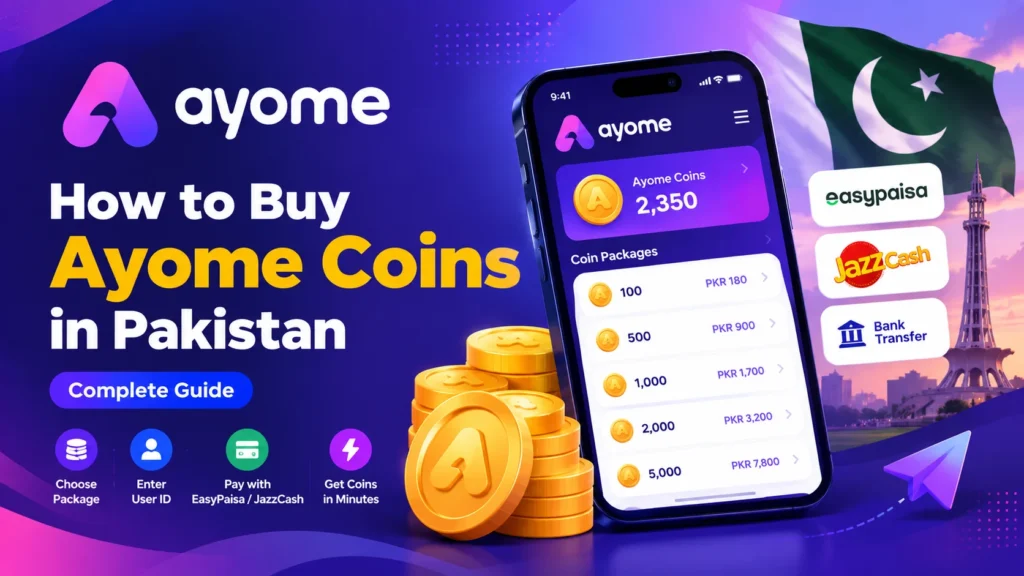
The basic process of purchasing Ayome Coins is relatively simple. You generally need to select a coin package, provide the required Ayome account information, complete payment, and wait for the recharge to be processed.
Here is a general overview of the process:
- Choose an Ayome Coins package.
- Check the required account information.
- Enter your correct Ayome User ID.
- Review your selected package.
- Choose an available payment method.
- Complete the payment.
- Keep your payment confirmation.
- Wait for the recharge to be processed.
- Check your Ayome account after completion.
The exact steps can vary depending on the top-up service and the payment method being used.
Step 1: Choose the Ayome Coins Package
The first step is deciding how many coins you want to purchase.
Different users may need different amounts depending on how they use Ayome. Someone who only occasionally uses the platform may need a smaller package, while regular users may prefer a larger package.
Before placing an order, carefully check:
- Number of Ayome Coins
- Price of the package
- Available payment options
- Any current service information
- Delivery or processing details
Avoid selecting a package simply because it has a larger number of coins. Choose the amount that matches your actual requirements.
Step 2: Find Your Ayome User ID
One of the most important parts of an Ayome recharge is entering the correct User ID.
Your User ID identifies the account where the coins are supposed to be credited. Before submitting an order, make sure the ID you provide belongs to your own Ayome account.
If you are unsure about your User ID, open the Ayome application and check your account or profile information.
It is a good idea to copy the ID carefully instead of typing it from memory. A small mistake can result in the recharge being associated with the wrong account.
Step 3: Enter Your Account Information Carefully
After selecting a package, the recharge service may ask for your Ayome User ID or other information required to process the order.
Only provide the information that is specifically requested for the top-up.
For a standard ID-based recharge, you should not need to provide your Ayome account password to a third-party seller. You should also avoid sharing sensitive login credentials or security codes.
Before moving to payment, check the information one more time.
Step 4: Select a Payment Method
For customers in Pakistan, local payment methods can make online purchases more convenient.
Depending on the current checkout options, users may be able to pay through methods such as:
- EasyPaisa
- JazzCash
- Bank transfer
- Other supported local payment options
Payment availability can change, so always check the current options shown at checkout.
If you are using a mobile wallet, make sure the payment amount matches the order total before confirming the transaction.
Step 5: Complete Your Payment
Once you have selected your payment method, follow the provided instructions to complete the transaction.
Do not send payment to an unknown person simply because they claim to sell Ayome Coins. Use the payment instructions provided by the service you are purchasing from.
After completing the payment, save your transaction confirmation.
Your payment proof may include information such as:
- Transaction ID
- Payment amount
- Date and time
- Payment method
- Confirmation screenshot
Keeping this information can be useful if you need assistance with your order.
Step 6: Wait for Order Processing
After payment has been completed, the order may need to be verified before the recharge is processed.
Processing time can depend on several factors, including:
- Payment verification
- Correctness of the User ID
- Package availability
- System availability
- Order volume
- Technical issues
For this reason, users should not assume that every recharge will be completed at exactly the same time.
If your order appears to be taking longer than expected, keep your order and payment details available when contacting customer support.
Step 7: Check Your Ayome Account
After the recharge has been processed, open your Ayome account and check your available coin balance.
If the expected balance has not appeared, avoid immediately placing another order. First, check the status of your existing order and confirm that the User ID and payment information were correct.
If you still need help, contact the top-up service with your order details.
Can You Buy Ayome Coins With EasyPaisa?
Many Pakistani users prefer mobile wallets because they provide a convenient way to make online payments.
If EasyPaisa is available as a payment option, you can use it to complete your Ayome Coins purchase by following the payment instructions shown during checkout.
The general process is:
Select Package → Enter User ID → Choose EasyPaisa → Complete Payment → Order Processing
Always check the current checkout page because available payment methods may change.
Can You Buy Ayome Coins With JazzCash?
JazzCash is another commonly used payment method in Pakistan.
If JazzCash is currently supported by the service you are using, select it during checkout and follow the displayed payment instructions.
Before confirming the transaction, compare the payment amount with your order total.
After payment, save the transaction confirmation until the recharge has been successfully completed.
Do You Need an Ayome Password for a Coin Recharge?
For an ID-based coin recharge, the required information is generally the account identifier rather than your account password.
You should be careful if someone asks for your:
- Ayome password
- OTP
- Login verification code
- Email password
- Mobile account credentials
Never share sensitive login information unnecessarily.
A good top-up process should clearly explain what information is required to complete the recharge.
Why Is the Correct User ID Important?
The User ID is one of the most important details in an account-based recharge.
If you enter the wrong ID, the recharge may potentially be associated with another account. That is why you should carefully review your information before completing payment.
Before placing an order:
- Open your Ayome account.
- Locate your User ID.
- Copy it carefully.
- Compare it with the information entered in your order.
- Confirm it before payment.
Taking a few seconds to verify the ID can prevent unnecessary problems.
Common Mistakes When Buying Ayome Coins
First-time buyers can sometimes make simple mistakes during the recharge process.
Entering the Wrong User ID
This is one of the most important details to check. Always verify your account identifier before submitting the order.
Selecting the Wrong Package
Review the number of coins and the total price before payment.
Paying the Wrong Amount
Make sure the amount you send matches the order total.
Not Saving Payment Proof
Keep your transaction confirmation until the order is completed.
Sharing Sensitive Information
Avoid giving your password or OTP to third-party sellers.
Placing Duplicate Orders
If an order appears delayed, check its status before placing another order.
How to Choose an Ayome Coin Top-Up Service
When looking for an Ayome Coins Top Up in Pakistan, don’t only compare the displayed coin price.
Consider the overall purchasing process.
Important factors include:
Clear Ordering Process
The website should clearly explain how to select a package, provide account information, and complete payment.
Transparent Pricing
The package price should be visible before payment.
Supported Local Payments
Pakistani users may prefer services offering convenient payment options such as EasyPaisa or JazzCash.
Customer Support
A support channel can be useful if you have a question about payment, order status, or account information.
Account Security
A top-up process should avoid unnecessary requests for sensitive account credentials.
Is Buying Ayome Coins Online Safe?
Online purchases can be safer when users follow basic security practices.
Before purchasing, check that you are using the correct website and that the payment instructions match the order you are placing.
You should also avoid:
- Sharing your password with sellers
- Sharing OTPs unnecessarily
- Sending payment to random accounts
- Clicking suspicious payment links
- Giving away complete account credentials
- Ignoring the order details before payment
Keeping your personal and account information protected is an important part of any digital purchase.
How Much Do Ayome Coins Cost in Pakistan?
The price of Ayome Coins can vary depending on the package selected and the current pricing offered by the top-up service.
Instead of assuming that an old price is still applicable, check the current product or checkout page before placing an order.
When comparing packages, consider both the number of coins and the total amount you need to pay.
The cheapest package is not necessarily the right package for every user. Select an amount based on your actual usage.
Are Ayome Coins the Same as Money?
No. Ayome Coins are digital in-app credits.
They should not automatically be considered equivalent to Pakistani Rupees, cryptocurrency, or withdrawable cash.
Their value and usage are determined by the Ayome platform and its supported features.
If you are purchasing coins, make sure you understand that you are buying digital credits intended for use within the platform.
Can Ayome Coins Be Transferred?
Whether coins can be transferred between accounts depends on the features and rules currently supported by Ayome.
If transferring coins is important to you, check the latest information inside the Ayome application before purchasing.
Do not assume that digital credits can always be moved between users simply because they can be purchased online.
What Can Ayome Coins Be Used For?
The exact uses of Ayome Coins depend on the features available in the current version of the platform.
Depending on supported functionality, digital credits may be used for different in-app interactions or features.
Because applications can change their functionality, users should check the current Ayome interface and applicable rules for the most accurate information.
Ayome Coins and Live Features
Some users search for terms such as Ayome Live Coins, Ayome Live Recharge, or Ayome Live Coins Pakistan when looking for information about purchasing digital credits.
If you are interested in live-streaming-related digital services more generally, you can also explore the Live Streaming Coins section on AceLobby.
However, always check the specific product details to make sure the service matches the platform and account you are using.
How to Buy Ayome Coins Online From Pakistan
The online purchasing process can be summarized into a few simple stages.
First, decide how many coins you need. Then find a suitable top-up service and check the current package price.
Next, enter your correct Ayome User ID and carefully review the order.
After that, select an available payment method such as EasyPaisa or JazzCash, if supported, and complete your payment.
Finally, keep your payment confirmation and wait for the order to be processed.
Once the recharge is complete, check your Ayome account.
This process helps keep the purchase organized and reduces the possibility of simple ordering mistakes.
What Should You Check Before Payment?
Before confirming an Ayome Coins order, take a moment to review everything.
Check:
- Your Ayome User ID
- Selected coin package
- Total price
- Payment method
- Order details
- Applicable delivery information
- Support information
If everything looks correct, complete the payment using the instructions provided.
This quick review can save you time later.
What If My Ayome Coins Have Not Arrived?
If your coins have not appeared after the expected processing period, first check your order status.
Then verify that:
- Your payment was successful
- The order was submitted correctly
- The User ID was correct
- You selected the intended package
- There is no pending verification
If everything appears correct but the recharge is still pending, contact customer support and provide your order information.
Avoid placing another order until you understand what happened to the original transaction.
What If I Entered the Wrong User ID?
If you realize that you entered an incorrect User ID, contact support as soon as possible.
Whether an order can be changed depends on its current processing status and the service’s policies.
If the recharge has already been completed, changing or recovering the transaction may not always be possible.
This is why checking the User ID before payment is so important.
How to Keep Your Ayome Account Secure
Account security should remain a priority when purchasing digital credits.
Use a strong password for your account and avoid sharing login information with other people.
When purchasing a recharge, only provide the details required to complete the order.
You should also be careful with messages claiming to offer unusually cheap coins or asking you to provide account credentials.
If an offer seems suspicious, verify the seller and payment instructions before proceeding.
Why Pakistani Users Prefer Local Payment Methods
For many customers, local payment methods make online purchases more convenient.
EasyPaisa and JazzCash are familiar payment options for many Pakistani users and can simplify transactions when they are supported by the merchant.
Instead of relying on an international card, customers may prefer using a payment method they already use for everyday digital transactions.
However, always confirm the payment method and instructions on the current checkout page.
Buying Ayome Coins Through AceLobby
If you’re looking for a convenient way to purchase Ayome Coins in Pakistan, AceLobby provides an online ordering option for customers who need digital top-up services.
The basic process is simple: select the required package, provide the correct Ayome User ID, complete payment through an available method, and wait for order processing.
Before placing your order, make sure all account information is correct.
For questions about an existing order or the purchasing process, you can contact AceLobby for assistance.
Final Checklist for Buying Ayome Coins
Before completing your purchase, use this quick checklist:
- ✓ Select the correct Ayome coin package
- ✓ Verify your Ayome User ID
- ✓ Check the total price
- ✓ Confirm the available payment method
- ✓ Follow the payment instructions
- ✓ Save your transaction proof
- ✓ Don’t share your password or OTP
- ✓ Wait for your order to be processed
- ✓ Check your Ayome account afterward
Following these steps can make the overall recharge process easier and reduce common ordering errors.
Frequently Asked Questions
How can I buy Ayome Coins in Pakistan?
Choose an available Ayome Coins package, enter your correct User ID, select an available payment method, complete payment, and wait for the recharge to be processed.
Can I buy Ayome Coins with EasyPaisa?
If EasyPaisa is currently available at checkout, you can use it to pay for your selected coin package by following the provided payment instructions.
Can I buy Ayome Coins with JazzCash?
If JazzCash is supported at the time of purchase, you can select it as your payment method and complete the transaction according to the checkout instructions.
Do I need an Ayome password?
For a standard ID-based recharge, you should only need to provide the information required for the top-up. Avoid sharing your password or OTP with third-party sellers.
How do I find my Ayome User ID?
Open your Ayome application and check your profile or account information to locate the User ID associated with your account.
How long does an Ayome recharge take?
Processing time can vary depending on payment verification, order details, system availability, and other factors. Check the current service information when placing your order.
What happens if I enter the wrong User ID?
Contact customer support as soon as possible. The available solution depends on whether the order is still pending or has already been processed.
Are Ayome Coins cryptocurrency?
No. Ayome Coins are digital in-app credits and should not be confused with cryptocurrency.
Can I transfer Ayome Coins?
Transferability depends on the current features and rules of the Ayome platform. Check the latest information in the app before assuming coins can be transferred.
Where can I buy Ayome Coins in Pakistan?
You can check available Ayome Coins packages through AceLobby and follow the current ordering and payment instructions.
Conclusion
Learning how to buy Ayome Coins in Pakistan is simple when you understand the basic recharge process. Choose the right package, verify your Ayome User ID, use an available payment method, keep your transaction proof, and protect your account credentials.
For Pakistani users, payment options such as EasyPaisa and JazzCash can make the purchasing process more convenient when supported.
Most importantly, always review your order before payment and avoid sharing your password or OTP with third parties.
If you are ready to explore available Ayome Coins options, visit AceLobby and check the current packages and payment methods before placing your order.